
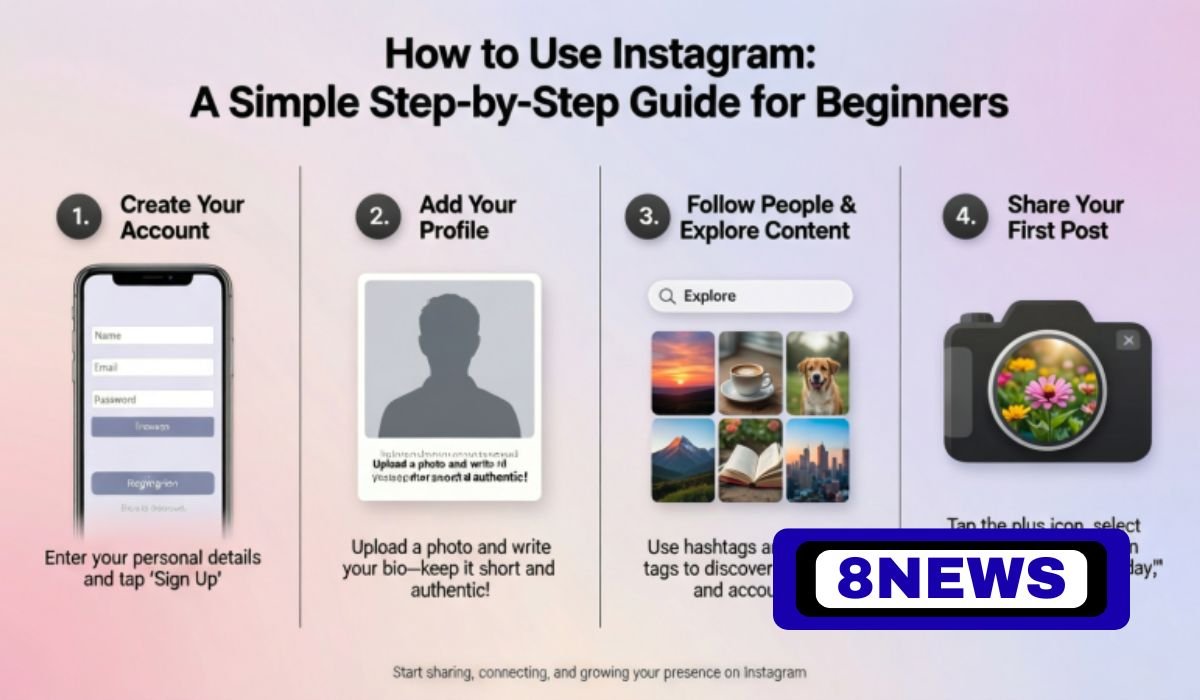
Instagram has become one of the most popular social media platforms in the world, with over a billion users sharing photos, videos, and moments from their daily lives. Whether you’re looking to stay in touch with friends, grow a brand, follow your favorite celebrities, or explore content that inspires you, Instagram is a great place to begin. But if you’ve never used the app before or are just getting started, figuring out how it works can feel overwhelming.
This easy-to-follow, beginner-friendly guide will walk you through exactly how to use Instagram step by step. From setting up your profile to posting content, finding people, and understanding the app’s unique features like Stories and Reels, this article will help you feel confident using Instagram—whether for personal enjoyment or professional growth.
Let’s explore everything you need to know to get started.
Quick Bio Information
| Instagram Launch Year | 2010 |
|---|---|
| Founder | Kevin Systrom and Mike Krieger |
| Current Owner | Meta Platforms (formerly Facebook) |
| Users Worldwide | Over 2 billion (as of 2025) |
| Available On | iOS, Android, Web |
| Primary Function | Photo and Video Sharing |
| Key Features | Stories, Reels, Live, Shopping |
| Ideal For | Individuals, Influencers, Brands |
| Main Feed Style | Visual (photos & videos) |
| Private Account Option | Yes |
| Messaging Available | Yes (Direct Messages) |
What Instagram Is And Why It’s So Popular
Instagram is a social media app designed for sharing photos and videos. Unlike platforms that prioritize written updates or articles, Instagram focuses on visual storytelling. Users can upload moments from their lives, explore content from others, and engage through likes, comments, and shares. Over time, the platform has evolved into a powerful tool for communication, branding, business marketing, and entertainment.
Its simplicity and flexibility make it attractive to people of all ages—from teens to grandparents, from influencers to global companies. Whether you’re into fashion, food, travel, or education, Instagram has a space for you.
How Instagram Works For Beginners
Instagram works on a straightforward concept: you follow people and content that interest you, and others can follow you in return. When someone posts a photo, video, Story, or Reel, it appears in your feed. You can scroll, like, comment, save, or share what you see. Instagram also lets you create your own posts to share with your followers.
The more accounts you follow, the more engaging your feed becomes. You’re in control of what you see and who you interact with. Instagram is also algorithm-driven, so the more you interact with certain types of posts, the more similar content you’ll see in your Explore tab.
How To Download Instagram And Create An Account
To get started with Instagram, the first step is downloading the app from the App Store (iPhone) or Google Play Store (Android). Once installed, open the app and choose to either sign up with an email or phone number, or log in through your Facebook account.
When creating an account, you’ll be asked to enter your name, create a username (this will be your public identity on the platform), and set a password. Instagram also allows users to create and switch between multiple accounts, which is helpful if you want a personal account and a separate one for business or hobbies.
Once your account is created, you can begin exploring right away.
Setting Up Your Instagram Profile The Right Way
Your profile is like your homepage. It’s the place people go to learn more about you. You’ll want to add a profile picture, usually a clear photo of yourself or your brand logo. Next, write a short bio to describe who you are or what your account is about. You can include a link to your website, portfolio, or another social platform.
If you run a business, you can switch to a Professional Account to access insights, advertising tools, and contact buttons. Whether for personal or professional use, your profile should reflect your personality or purpose on Instagram.
At any time, you can edit your bio, change your username, or update your profile picture by tapping the Edit Profile button.
Learning The Instagram Home Screen And Navigation
Instagram’s layout is easy to get used to once you know what each icon means. The home screen is where you’ll see posts from the people you follow. Along the bottom of the screen, you’ll find a navigation bar with five key icons:
Home: View content from accounts you follow.
Search (Explore): Discover new accounts, trending topics, and suggested posts.
Create (+): Upload a post, Story, Reel, or go Live.
Reels: View short, engaging videos from all over Instagram.
Profile: Visit your own profile to see your posts, followers, and settings.
This simple menu makes it easy to move through the app with just a tap.
How To Post Photos And Videos On Instagram
To share content, tap the plus (+) button. You can upload a photo or video from your camera roll, or take one directly within the app. Before posting, you can apply filters, crop your image, adjust brightness, and more. Filters give your content a distinct look, but you can also skip them if you prefer a natural edit.
Write a caption to describe your post. You can use hashtags to make it discoverable, tag other users by typing @username, and add a location. Instagram also allows you to cross-post to Facebook, Twitter, and Tumblr if those are connected.
Once everything looks good, tap Share to publish it to your feed.
How To Follow And Engage With Other Instagram Users
Following others on Instagram is how you build your feed and find content you enjoy. You can search for friends, family, celebrities, or interests in the Explore tab. When you follow someone, their posts will appear in your home feed.
You can engage with posts by:
Liking them (double tap or heart icon)
Commenting to share thoughts or compliments
Saving them to view later
Sharing them via direct messages
Public accounts can be followed instantly. Private accounts will need to approve your follow request before you can see their content.
What Are Stories, Reels, And Instagram Live
Instagram has several ways to share content beyond regular posts:
Stories are temporary posts that disappear after 24 hours. You can add stickers, music, polls, text, and more. Stories appear at the top of your home screen and are great for casual updates or behind-the-scenes moments.
Reels are short-form videos (up to 90 seconds) that often include music, effects, and creative editing. Reels can help you reach a wider audience because they appear on Explore pages and Reels tabs.
Instagram Live lets you broadcast live video to your followers. Viewers can comment in real time, making it a great way to connect directly, host Q&As, or stream events.
All three formats are useful in their own way, whether for fun, storytelling, or growing your audience.
How To Use Instagram Direct Messages
Instagram also allows private conversations through Direct Messages (DMs). To access them, tap the paper airplane icon (or Messenger icon if linked to Facebook) at the top-right of your home screen. You can chat with anyone who follows you, and message requests from others will appear in a separate inbox.
DMs support:
Text and photo messages
Shared posts
Voice notes
Video chat
Reactions with emojis
It’s a great way to stay in touch without posting publicly.
Managing Your Privacy, Notifications, And Settings
Privacy is important, and Instagram gives you control over who sees your content. In Settings, you can:
Set your account to Private so only approved followers can view your posts
Choose who can comment or message you
Block or report users who behave inappropriately
Control what notifications you receive and how often
You can also change your username, password, email, or linked accounts at any time. And if you want to take a break without deleting your account, Instagram lets you temporarily disable it.
Tips, Tricks, And Common Mistakes Beginners Should Know
Here are a few helpful things to keep in mind:
You can archive posts instead of deleting them, which hides them from your profile but keeps them saved.
Schedule posts with third-party tools like Buffer if you want to plan ahead (professional accounts only).
Don’t overuse hashtags—a few targeted ones work better than dozens of random ones.
Use Close Friends in Stories to share private updates with select people.
Make sure to explore the Insights tab if you have a business account—it shows how your content is performing.
Avoid common mistakes like posting low-quality images, ignoring your bio, or neglecting privacy settings. The more thought you put into your profile and content, the better your Instagram experience will be.
Final Thoughts
Learning how to use Instagram can feel like stepping into a fast-moving world of images, trends, and digital interaction. But once you get the hang of it, it’s an incredibly fun, creative, and rewarding platform. Whether you want to keep up with friends, follow inspiring content, promote a business, or just express yourself, Instagram has the tools to support you.
Start slow, explore often, and don’t worry about being perfect. The more you use Instagram, the more comfortable and creative you’ll become. You control your experience—and with this guide, you’re already off to a great start.
FAQs About How To Use Instagram
What Do I Need To Sign Up For Instagram?
You need a valid email address or phone number and a smartphone or device with internet access. You can also sign up using a Facebook account.
Is Instagram Free To Use?
Yes, Instagram is completely free to download and use. Some advanced features, like running ads, may require payment.
Can I Use Instagram Without Posting Anything?
Absolutely. You can follow others, like and comment on posts, and view Stories and Reels without ever uploading your own content.
What’s The Difference Between A Public And Private Account?
A public account allows anyone to see your posts. A private account requires people to request and be approved before they can see your content.
How Do I Delete Or Deactivate My Account?
You can deactivate your account temporarily in your profile settings or delete it permanently by visiting Instagram’s website and requesting account deletion.
What Are Hashtags And How Do I Use Them?
Hashtags (like #travel or #foodie) help categorize your posts and make them discoverable to others interested in similar topics.
Can I Use Instagram On My Computer?
Yes. You can access most Instagram features on a desktop browser, including posting photos, editing your profile, and messaging.
People Also Read: Birdy Grey Explained: Why Brides Everywhere Love These Affordable Bridesmaid Dresses